

Shorten your wait
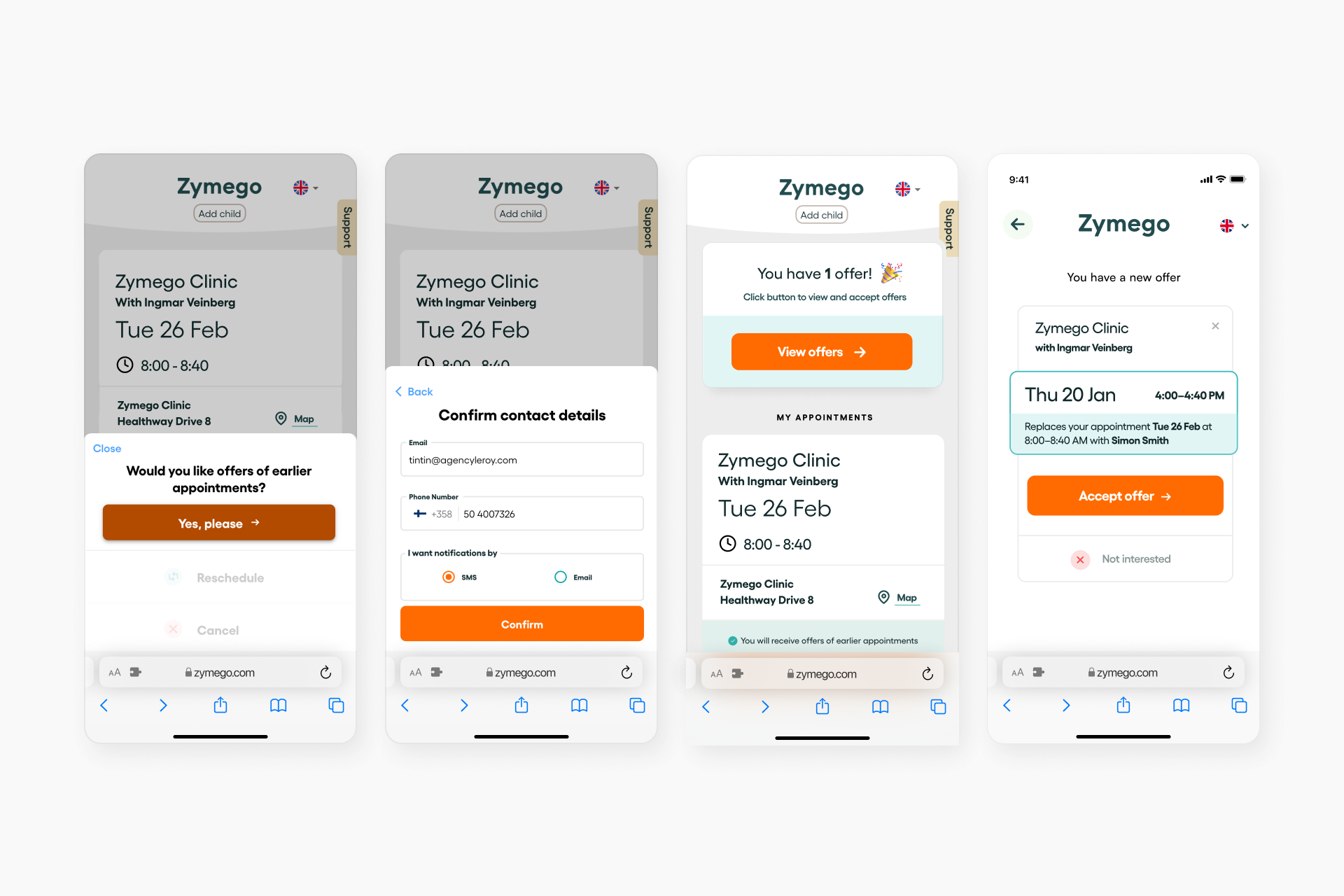
Sign up to get alerts when earlier appointments open up. Zymego scans the clinic’s calendar every 15 minutes and sends you a message as soon as a matching slot appears. Offers go out to five patients at once, so be quick to claim your spot.
No app download needed. Just log in to Zymego to accept or decline the offer. To keep appointments from going unused, we share each slot with five patients — whoever responds first gets it.
Reschedule and cancel appointments
With Zymego's web app, you can reschedule (without cancelling) and cancel your appointments. No app download needed.
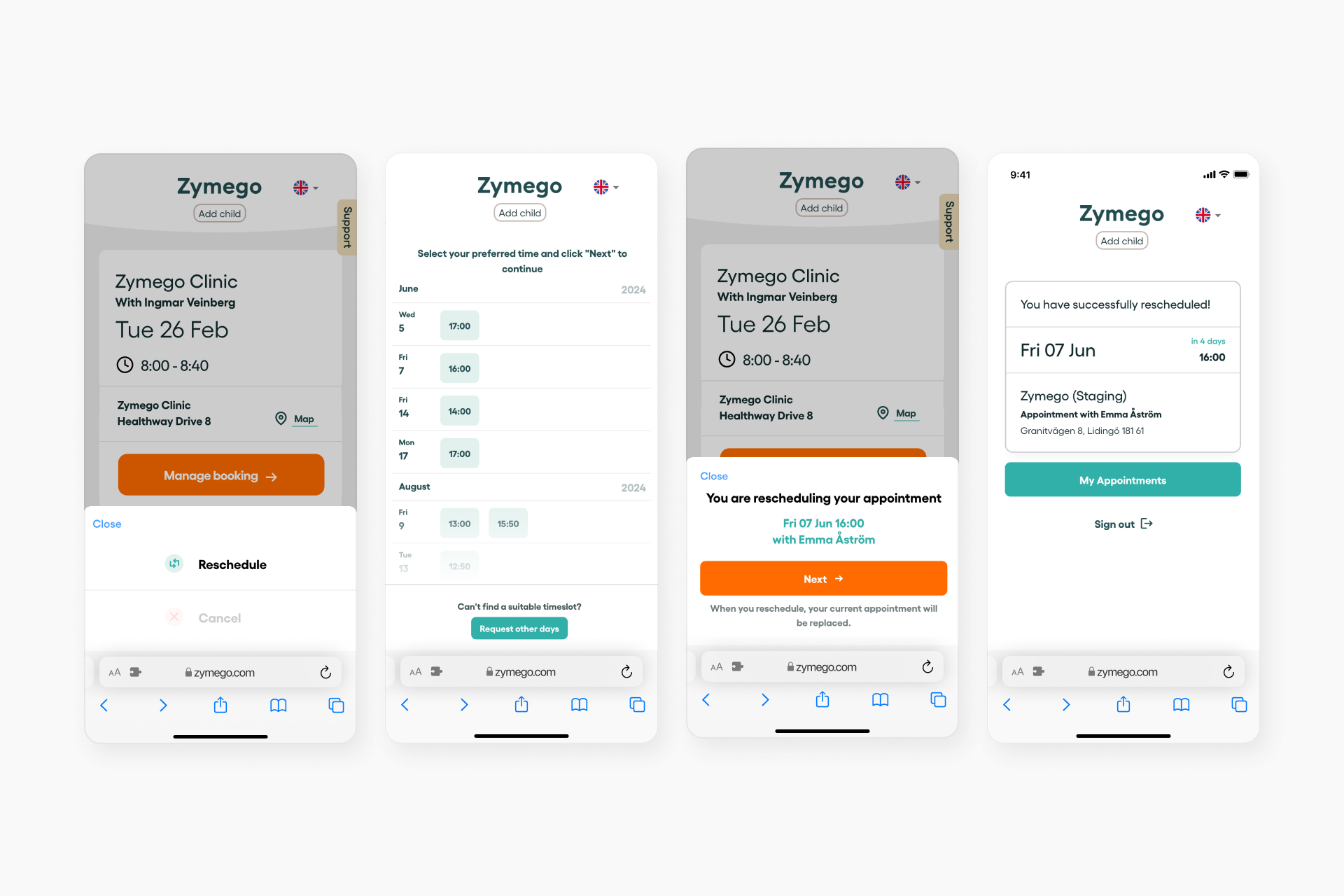
1. Log in using your SMS verification.
2. Click on an appointment.
3. Select cancel or reschedule.
4. If you choose to reschedule, select an available appointment.
5. You will receive a confirmation within the web app, confirming that the appointment has been successfully rescheduled or canceled. Rescheduled appointments will be accessible under the 'My Bookings' section. Additionally, confirmation will be sent to you via email and test message.
With Zymego’s web app, you can easily reschedule or cancel your appointments without having to call the clinic.
1. Log in to Zymego.
2. Your booked appointments at clinics connected to Zymego will appear.
3. Select the appointment you want to change.
4. Choose whether to reschedule or cancel.
5. If rescheduling, simply pick a new time that suits you.
You’ll get an instant confirmation once the change is complete. Your updated booking will show under ‘My Bookings’, and you’ll also receive a confirmation by email and text message.

Request days that suit you
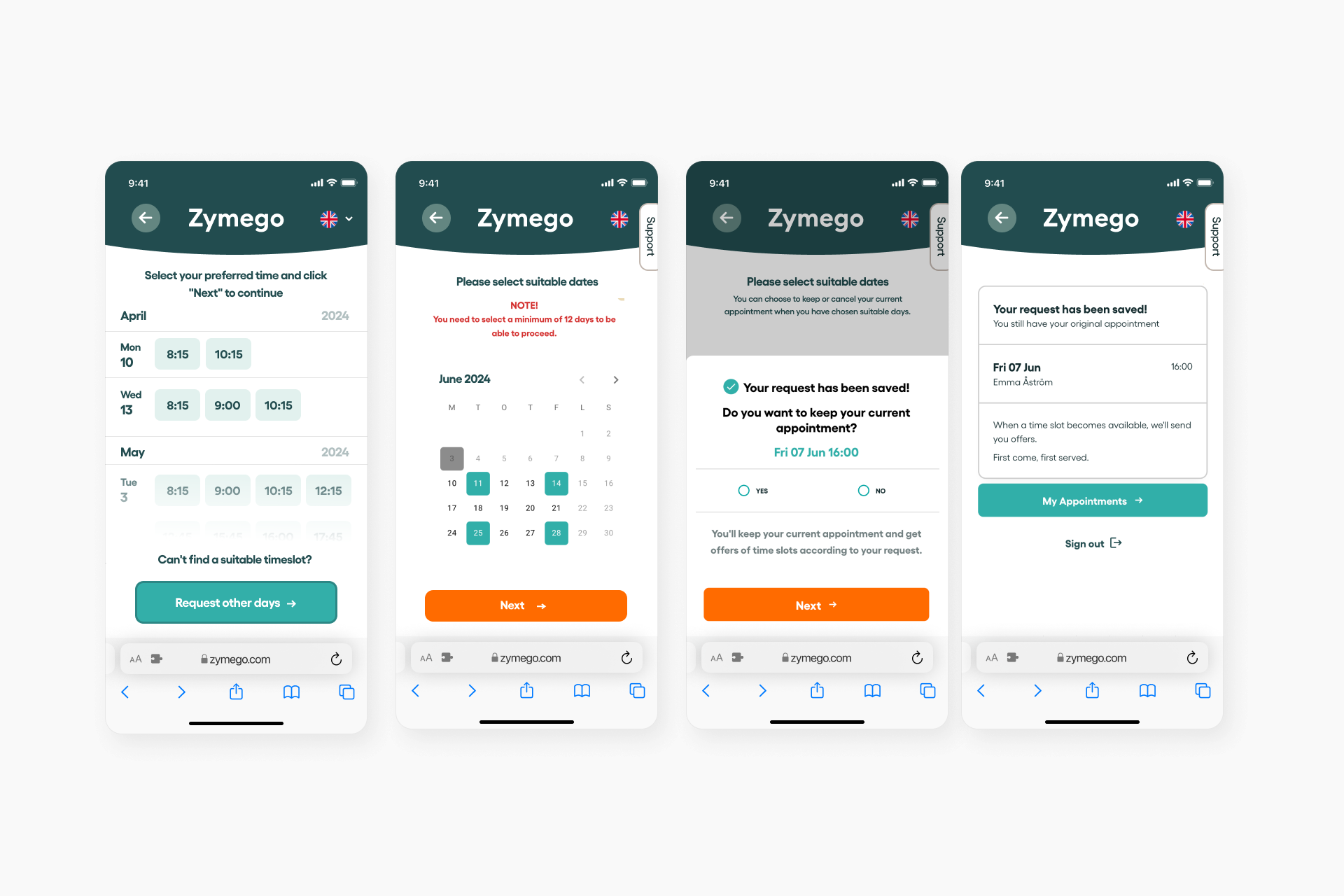
If you want to reschedule but can’t find a suitable time in the calendar, you can submit the days that work best for you. You may keep your original booking for now or cancel it straight away — the choice is yours.
Once you’ve sent your preferred days, Zymego checks for openings on those dates every 15 minutes, 24/7.
If you decide to cancel your original appointment after sharing your preferred days
Once an appointment becomes available on one of your selected days, Zymego will automatically book it for you and send a confirmation by text message and email. If no suitable slot is found by the time all your requested days have passed, Zymego will continue searching and book the earliest available appointment in the clinic’s calendar instead.
You can choose to keep your original appointment after your request
When an appointment becomes available on one of your requested days, you’ll receive a notification with the details. Simply follow the link in the message to view the offered time and choose whether to accept or decline the appointment.